A receptionist for your practice website. Open when the desk is not.
It answers patients from your own pages: treatments, prices, hours and how to book. When someone wants an appointment it takes their details, and your team picks the enquiry up in the morning.
- Free to try
- Most sites live in under ten minutes
- No contract
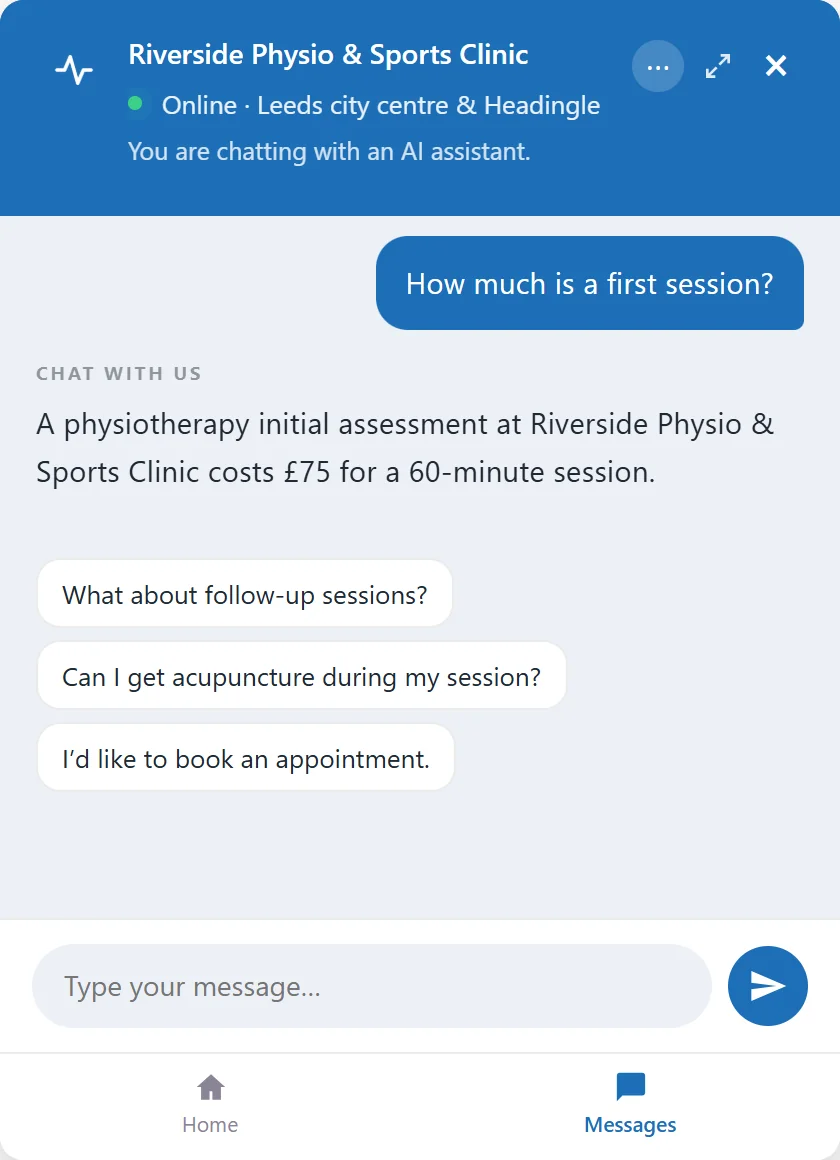
The questions patients ask before they book
It answers each of these from your own pages, whether or not anyone is at the desk.
Physio and sports injury
Dental and aesthetics
Osteopathy, chiropractic and counselling
It sits in front of the booking system you already use
A patient asks, gets the answer from your pages, and leaves their name and number if they want to go ahead. Your team books them in the way you do now.
- Question
- Answer
- Enquiry
- Your team
- Booking
Every enquiry, with the chat behind it
The patient’s name, number and what they asked, in your Inbox. Mark it called or booked as you go, and get an email for each one if you like.
What your website is not answering
The questions it could not answer from your pages are listed for you. Add the answer once and it is there next time.
Step in when you like
Watch a conversation as it happens and join it from the dashboard, with your name on your replies.
Try it on Riverside Physio
A complete practice website with Embermont Concierge on it. Open it and ask what a patient would.
- What a first appointment costs
- Whether there are Saturday appointments
- Something that is not on the site
- Then leave an enquiry
Or try Harbour Dental, an NHS and private dentist in Plymouth, Ashdown Vets in Norwich, with 24-hour emergencies, or Fenwick & Doyle, accountants on fixed fees.
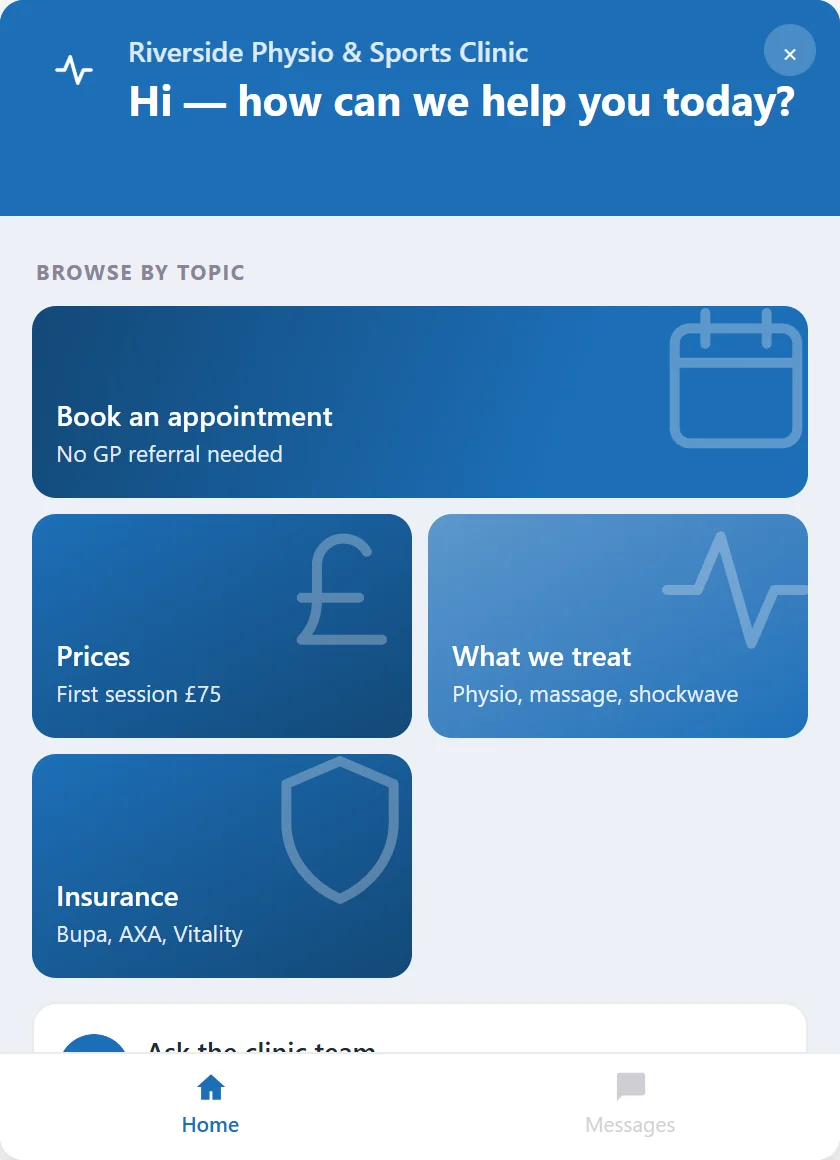
Set up the way you work
You choose what it answers from, what it leaves to you, and how it looks.
Your pages
- Treatments and prices
- Opening hours
- Who you treat and how to book
- Price lists and documents you upload
Your rules
- Topics you leave to your team
- Where it sends people instead
- Questions that go straight to you
- Test it on your own questions before it goes live
Your look
- Your colours, greeting and receptionist name
- A picture or logo in the header
- Every message visitors see, in your words
- A home screen with the questions you want asked first
Live in about ten minutes
Add your website
Type in your practice’s web address and choose the pages it uses.
Set your rules
Choose what it learns, what it leaves to your team and where it sends people instead.
Add one line to your site
One line on your website. Nothing changes in your booking system.
You stay in charge
It handles the routine questions. These settings decide what happens when a question needs your team.
Your information, your instructions
Tell it not to give medical or treatment advice, and where to send people instead. Try the questions your patients ask before it goes live.
Emergency contacts and escalation
Add emergency contacts and your own message, shown in place of an answer when a message matches words on your list.
Conversation history and retention
Choose how long conversation history is kept, or switch it off. Email addresses, phone and card numbers it recognises are replaced before a message reaches the AI.
Questions that need your team
For questions that need your team, it directs the visitor to you. Visitors can delete their own conversation, and you can export or erase a visitor’s conversation when they ask. Our privacy policy lists what we store and who processes it.
Can it book appointments?
It sends visitors to your booking system, phone number or enquiry process, or takes their details so your team can arrange the appointment.
Will it give medical advice?
You can set it not to give medical or treatment advice and to direct visitors to your practice instead. Test the questions relevant to your practice before going live.
Does it know my prices?
If your prices are on the pages it reads, yes. You can also add information yourself or upload a price list.
What happens when we’re closed?
It keeps answering routine questions and takes enquiries. When you open, the conversations are in your dashboard.
How much does it cost?
You can start free with 10 visitor conversations a month. Paid plans start at £19 a month, with no per-conversation fees and no contract. See pricing
Give your website a receptionist.
Start free, put it on your own site, and see what patients ask.